01
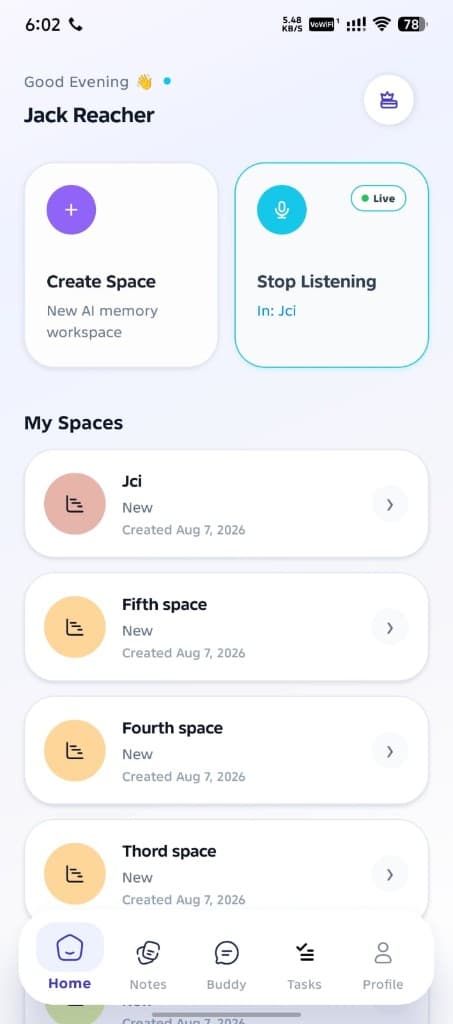
Create a space
Start a focused workspace for a project, meeting, or life area.
Buddy
Create a space, start listening, and let Buddy turn what was said into clear notes, useful tasks, and answers you can act on.
Why Buddy
Move through each capability and the preview updates smoothly—spaces, notes, tasks, and chat.
How it works
One step at a time—keep scrolling to move from create, to listen, to review.
Start a focused workspace for a project, meeting, or life area.
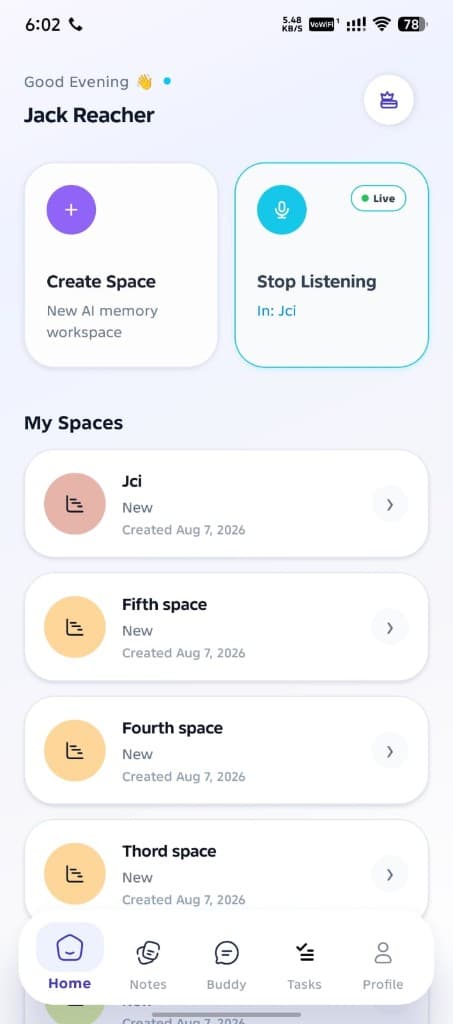
Talk naturally while Buddy captures what matters in the background.
Open organized notes, clear tasks, and ask Buddy anything about the space.
The app
Three screens across the full width first—keep scrolling to reveal the rest smoothly.
Create a space, start listening, and open any workspace.
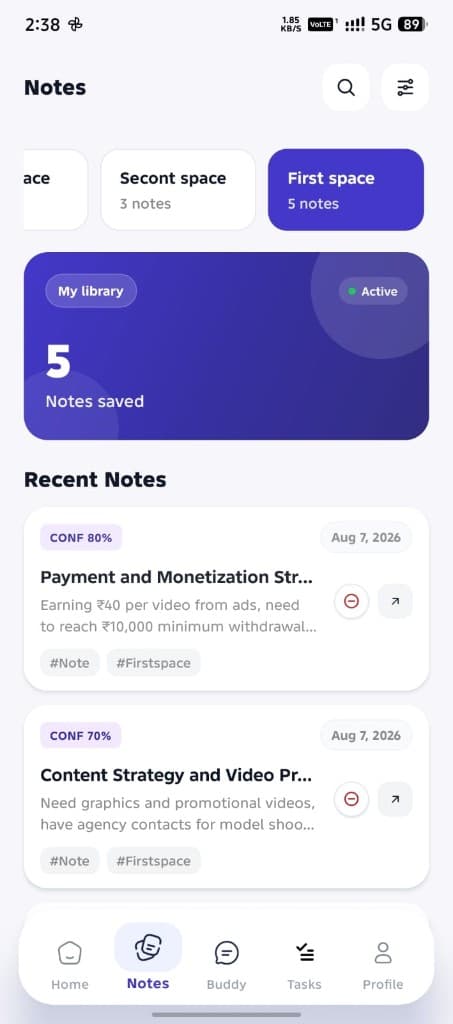
Browse your library with confidence scores and tags.
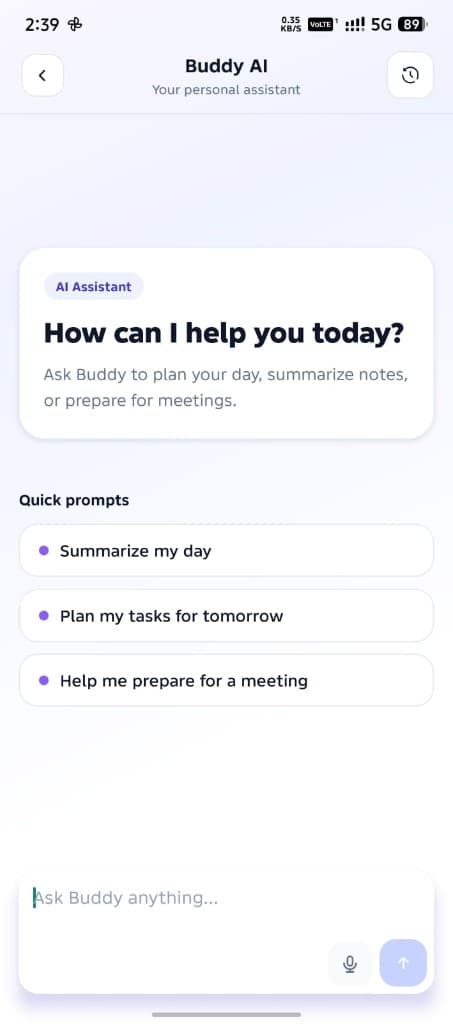
Ask Buddy to plan, summarize, or prepare.
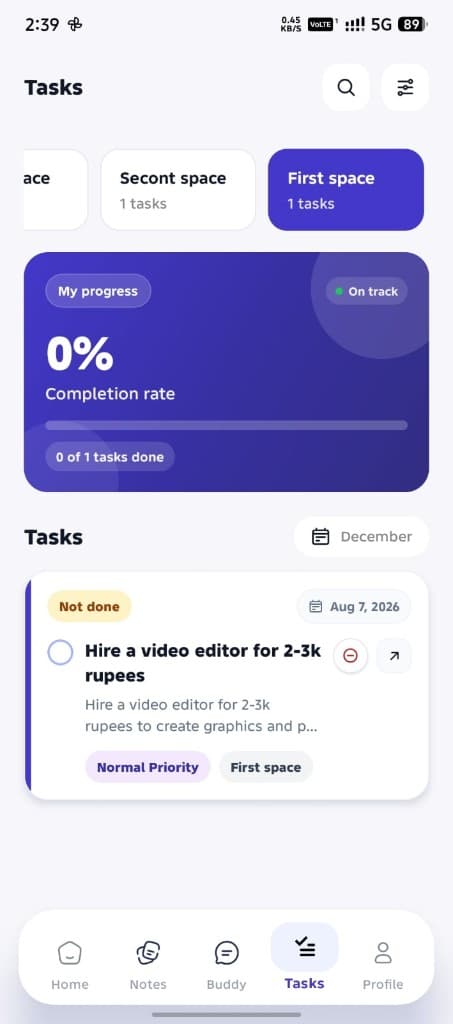
Track next actions with clear priorities.
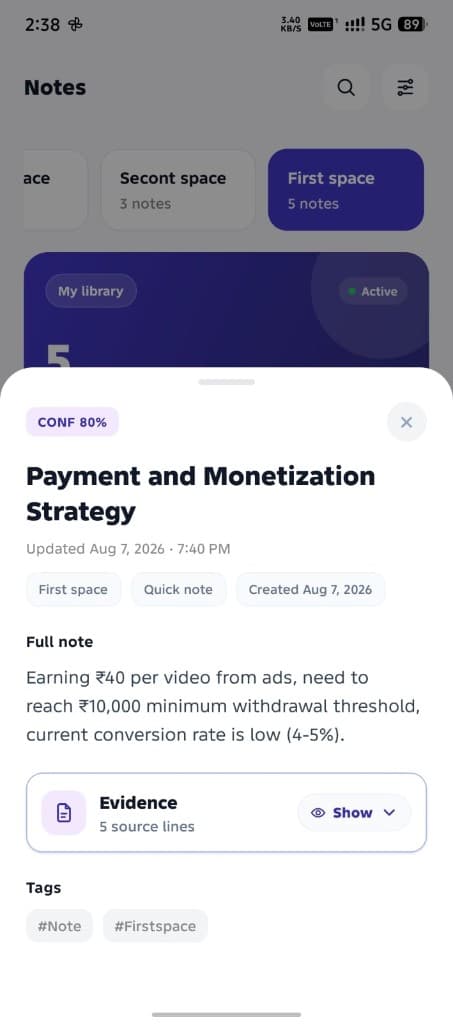
Full write-ups with evidence and confidence.
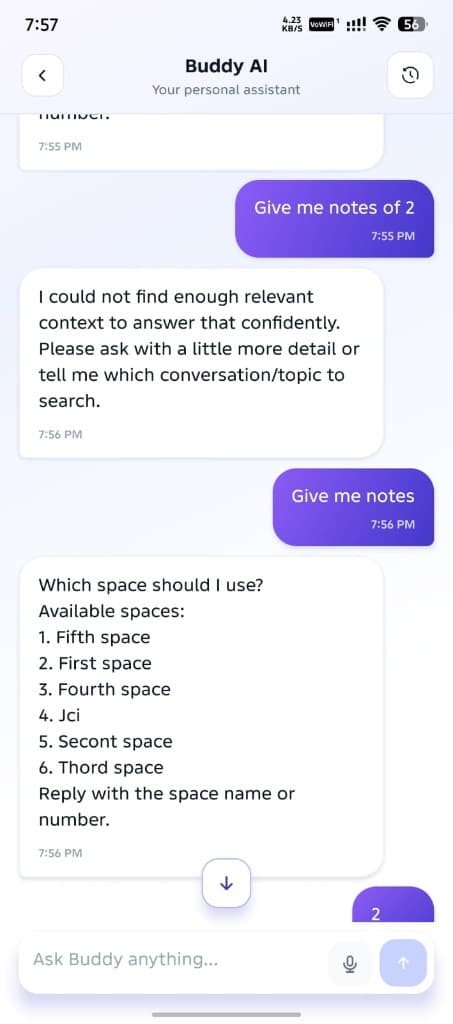
Continue conversations grounded in your spaces.
Get Buddy
Bring Buddy into meetings, brainstorms, and everyday talk—and leave with notes and tasks already waiting.